-
Time Controller
A very experimental project (dare I say buggy). A standard approach to time scaling physics interactively.
-
A Mellow Home in ROBLOXia
-
Surface Normal Gravity Controller
Inspiration from EgoMoose, studied his module(s) to get a great understanding of the math behind it all, and made my own makeshift version!
-
Custom Engine
This is a source-esque physics engine, that practices very practical laws of physics, such as laws of conservation, and acceleration of motion.
-
-
'Y-Column' Raytrace Engine
Inspired shortly after creating my first Raytrace engine, which, due to parallel Lua still being in beta (and a bunch of features from it being deprived / not even available) made me decide to find another way to approach this whole raytracing rendering as a whole, ultimately leading to the creation of this.
-
Raytracing Engine
Created in 10 hours, I represent an engine fully revolving around a >30 FPS capped raytracing environment, with full shading supported!
Unfortunately, due to ROBLOX's limitations, I am unable to branch to specified areas such as:
* Fullscreen aspect ratio resolution
* Reflectancy (While this is plausible, this would most likely just tie into more performance related issues due to consistently casting math)
* External light sources (Same problem with reflectance, this will most likely eat up the already low frames, due to no multithreading, I can't really expand upon either of these issues.)
Regardless, I hope you all enjoy seeing this as much as I had fun making this!
-
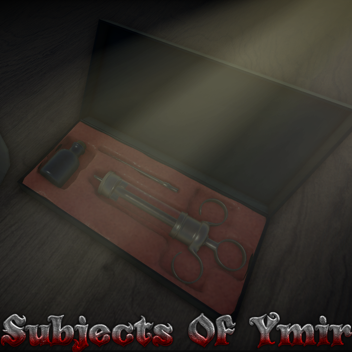
Subjects of Ymir
A game heavily inspired by the manga series "Shingeki no Kyojin" (Attack on Titan).
You must join the group & community server in order to play!
This game entails the powers of the 9 titans.
https://www.roblox.com/groups/13876842/Ymirs-Descendants#!/about
-
Physics lab
Heli-pack controls:
* Press Z to enable the Heli-Pack!
* Use your camera to adjust the direction in which you go.
* You can use keys W,A,S & D to lightly maneuver around while flying.
* Holding space will cause you to accelerate, putting more strain on the throttle.
Hoverboard controls:
* Z to activate.
* W,A,S,D to move.
* Hold F to disable levitation.
* W,A,S,D & F while in the air will allow you to rotate your hoverboard!
(Tip: With the hoverboard, holding F while in the air allows for you to conserve your angular velocity.)
??? Controls:
* E & Q to grapple
* A & D to rotate while in air
* Space to boost
(??? is based on REAL physics, don't expect to be able to turn well if you're holding boost, it will eat up all that momentum you built into turning. You have to MANEUVER thoughtfully.)
-
Bezier Curve
Bézier curves are widely used in computer graphics to model smooth curves. As the curve is completely contained in the convex hull of its control points, the points can be graphically displayed and used to manipulate the curve intuitively.
For the more curious, this is a part with a trail attached to it, the part is currently invisible, but I have the part follow along a quadratic bezier path taking in 3 points.
-
Pyritium's Level Calculator
Inspired by Clockworks level calculator; uses a hybrid of both the original calculations mixed in heavily with my own modifications to make it modernized & overall more accurate for ROBLOX today.
Pyritium has no creations.