-
Arktoran Lecture Hall
This is a place I made based off older Korblox training facilities for the purpose of giving more advanced lessons in magic and lore. Try joining in VR!
-
-
Avatar Test
A game that allows both the traditional and more animated avatars in roblox ( R VI and R XV ) so you can test avatars. We also host multiple different locations / scenes for you to test your avatar in so you can see what it looks like in different settings. We will be adding more and more areas over time. ------------------
Warning: If a player does not appear to have anything on them, it may be because their clothes are still loading in or have not yet been accepted. While you might be able to see clothes you just made, others may not so do not be offended by them at fi r st.
-
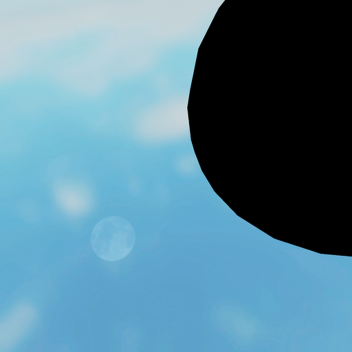
Get Sucked Into a Giant Black Hole!
Welcome to 'Get Sucked Into a Giant Black Hole!' ! What do you do in this you ask? Exactly as the name says! The more times you fall into a black hole, the more black holes you can enter!
NEW UPDATE:
I already revamped the game a while ago, however I believe the game deserves more attention. I finally added in other black holes, now your deaths actually have reasons to collect!
I'll be adding in more black holes over time, as this game deserves to be more than just the conveyors feeding into a ball that makes you go off on touch, as the game used to be.
Thank you to the people who play this game. I have no idea who you are or how you found it, but it's nice of you to play!
-
Nostalgia Studio Beta Test
THIS GAME IS MOVING SOON! THE NEW GAME WILL EVENTUALLY BE FOUND ON THIS GROUP: https://www.roblox.com/groups/8140453/THE-NOSTALGIA-ENTITY
How to insert bricks:
There's a button that says Insert in the top left corner. Hover or click on it and a new thing will appear. Click on Object... and a new window will appear where you can insert Bricks and other objects.
How to edit Bricks:
In the lower right corner is a tab called properties. When an object is selected, it will show the properties for that object. Currently only bricks can be selected, and the only things you can edit are size and position, as well as transparency.
The game is still in beta so don't expect much from it yet.
IFIoopthepig has no creations.


![[🔊] Roblox Party!](https://tr.rbxcdn.com/180DAY-2b50513cd1e06dbca7acbfcc9b1bc001/150/150/Image/Jpeg/noFilter)