-
Controllo del Tempo
Un progetto molto sperimentale (oserei dire buggy). Un approccio standard alla fisica della scala del tempo in modo interattivo.
-
Una casa dolce a ROBLOXia
-
Surface Normal Gravity Controller
Inspiration from EgoMoose, studied his module(s) to get a great understanding of the math behind it all, and made my own makeshift version!
-
Custom Engine
This is a source-esque physics engine, that practices very practical laws of physics, such as laws of conservation, and acceleration of motion.
-
-
'Y-Column' Raytrace Engine
Inspired shortly after creating my first Raytrace engine, which, due to parallel Lua still being in beta (and a bunch of features from it being deprived / not even available) made me decide to find another way to approach this whole raytracing rendering as a whole, ultimately leading to the creation of this.
-
Raytracing Engine
Created in 10 hours, I represent an engine fully revolving around a >30 FPS capped raytracing environment, with full shading supported!
Unfortunately, due to ROBLOX's limitations, I am unable to branch to specified areas such as:
* Fullscreen aspect ratio resolution
* Reflectancy (While this is plausible, this would most likely just tie into more performance related issues due to consistently casting math)
* External light sources (Same problem with reflectance, this will most likely eat up the already low frames, due to no multithreading, I can't really expand upon either of these issues.)
Regardless, I hope you all enjoy seeing this as much as I had fun making this!
-
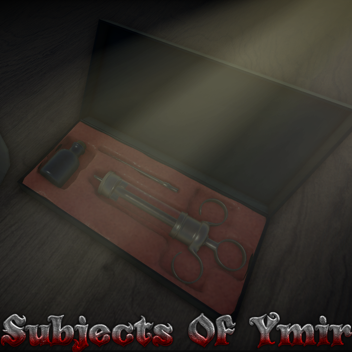
Soggetti di Ymir
Un gioco fortemente ispirato alla serie manga "Shingeki no Kyojin" (Attack on Titan).
Devi unirti al gruppo e al server della comunità per giocare!
Questo gioco comporta i poteri dei 9 titani.
https://www.roblox.com/groups/13876842/Ymirs-Descendants#!/circa
-
Laboratorio di Fisica
Controlli dell'elicottero:
* Premere Z per attivare l'elicottero-Pack!
* Usa la tua fotocamera per regolare la direzione in cui vai.
* È possibile utilizzare i tasti W, A, S e D per maneggiare leggermente durante il volo.
* Tenere premuto lo spazio ti farà accelerare, mettendo più sforzo sull'acceleratore.
Controlli hoverboard:
* Z per attivare.
* W,A,S,D per muoversi.
* Tieni premuto F per disabilitare la levitazione.
* W, A, S, D & F mentre in aria ti permetterà di ruotare il tuo hoverboard!
(Suggerimento: con l'hoverboard, tenere premuto F mentre sei in aria ti permette di preservare la tua velocità angolare.)
??? Controlli:
* E & Q per afferrare
A & D per ruotare mentre sei in aria
* Spazio per potenziare
(??? è basato sulla fisica REALE, non aspettarti di essere in grado di girare bene se stai tenendo un boost, mangerà tutto lo slancio che hai costruito nel girare. Devi MANEUVARE con attenzione.)
-
Bezier Curve
Bézier curves are widely used in computer graphics to model smooth curves. As the curve is completely contained in the convex hull of its control points, the points can be graphically displayed and used to manipulate the curve intuitively.
For the more curious, this is a part with a trail attached to it, the part is currently invisible, but I have the part follow along a quadratic bezier path taking in 3 points.
-
Calcolatore di Livello di Pyritium
Ispirato al calcolatore di livello di Clockworks; usa un ibrido di entrambi i calcoli originali mescolati pesantemente con le mie proprie revisioni per renderlo modernizzato e generalmente più accurato per ROBLOX oggi.
Pyritium non ha creazioni.