-
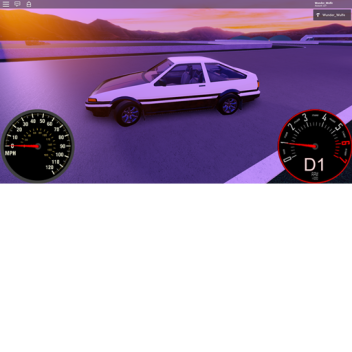
Physics Test
Play with a controller
Throttle: RT | W | ↑
Brake: LT | S | ↓
Steer: LeftThumbstick | A - D | ← - →
Gearbox Mode: ButtonY | R
Handbrake: ButtonX / Shift
Change Gear: BumperR - BumperL / E - Q
-
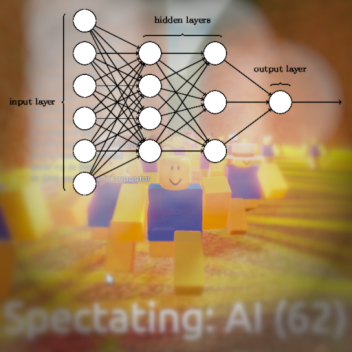
유전 기계 학습
신경망 사용
서버 사이드 머신 러닝을 사용하여 노브에게 걷는 방법을 가르칩니다.
내 RML 파이프라인 테스트 용지
-
Crash Carnage
Work in progress testing
Features:
• Networked vehicle damage / deformation
• Simple simulated engine
• PC, Mobile, and Controller support
• Advanced audio system
• Steer to flip back over
• Trick system
• Efficient performance
• Future Is Bright lighting system
Updates:
1/15/21: Improved handling and steering control
-
드리프트 타운
[제어]
PC | 엑스박스
스크롤휠 | D-PadUp/ D-PadDown: 카메라 줌
WASD / 화살표 키 | R2 L2 : 스로틀 / 브레이크
* 스페이스 | 버튼: 핸드브레이크
* 스페이스 + W | A 버튼 + R2 : 소진 (정지 시 사용)
* Q | L1 : 아래로 시프트
* E | R1 : 업-시프트
F | X 버튼: 클러치
* H | L3 : 뿔
* < | D-PadLeft: 왼쪽 깜박임
* > | D-PadRight: 오른쪽 깜박임
* C | R3 : 뒤를 바라보기
언급:
사용된 메쉬/모델: Kohl erious (트랙), unknown (자동차)
-
Flatspin
OLDER CHASSIS (a bit laggy from server replication)
Controls: KEY [PC | XBOX : Function]
• W A S D / Arrow Keys | Left Joystick : Driving
• H | L3 : Horn
• Shift | B : Handbrake
• C | X : Cruise control
• E | Y : Camera steering toggle
Update log:
• HSV Colorer
• Tire effects
• Simple gauges
• No walls, ball, camera effects
• New terrain, cam steering
• Handling updated, horn, handbrake, no roll-away
• Gears, better engine sound
• ABS, TCS
• Auto-flip, Auto-recovery, track thing
• Added more gravity, fixed collision issues
• Map added, suspension finalized
• Vehicle created, steering
-
FAST
Controls:
Shift (B Button) - Handbrake
Contains:
Basic vehicle engine simulation,
Steering animations,
Optional camera steering,
Realistic suspension,
Interior sound modification,
Gauges and scaled conversions,
Electronic stabilization / traction control,
Tire skids, and more
Wunder_Wulfe 님의 작품이 없습니다.

![[NOS🦇] Forsaken](https://tr.rbxcdn.com/180DAY-a33be3cf0bbdadf765ac2dde67421cfa/150/150/Image/Jpeg/noFilter)

![BOMBARD 💣 [FPS]](https://tr.rbxcdn.com/180DAY-03ce013f0417c4903cf453a81e60b982/150/150/Image/Jpeg/noFilter)