-
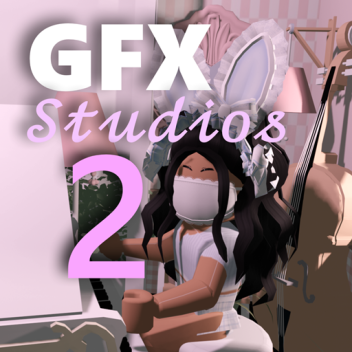
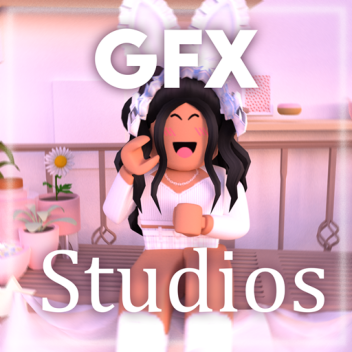
GFX Studios 2 (Aesthetic Photoshoot, Poses, Props)
Scenes, green screen and backgrounds for aesthetic photoshoots
Play this game if you want to create a GFX!!
The successor to GFX Studios with new and improved features.
Make GFXs for free on any device. No Blender or other softwares required!
Photo Mode: Hides all GUIs and player usernames for 15 seconds
GFX Menu: Edit lighting effects in game
To use the poses in your inventory, just equip them and click on your screen.
Music: i miss you by Ichika Nito
Background Maker: Fairyjhull
Join GFX Club!: https://www.roblox.com/groups/8379418/GFX-Club#!/about
Play the original: https://www.roblox.com/games/5505604720
-
-
PVP BattleGrounds
Kill eachother to get kills! | Gears hidden around the world! | Creator of the battle ground |BoosRBX|
-
Ragdoll engine (Low gravity, water)
Creator : Lalalalauren55
Ragdoll engine! Including super low gravity and water.
Check out my other games under my profile!
-
-
استوديوهات GFX / تصوير صور ، شاشة خضراء)
GFX Studios هي اللعبة المثالية لصنع GFX أو التقاط صور جمالية أو إنشاء مقدمة لك!
كيف تصنع GFX:
أولاً ، قم بتخصيص الصورة الرمزية الخاصة بك من خلال مجموعة واسعة من الشعرات اللطيفة والوجوه والملابس والاكسسوارات. ثم ، اختر مشهدًا يتوافق مع جمالك (أو جرب شاشة خضراء متقدمة لدينا) ، قم بتحرير الإضاءة أو أضف فلترًا في قائمة GFX ، وقم بضبط زاوية الكاميرا ، وقم بضرب وضع التصوير ، وأخيرًا ، التقط لقطة شاشة.
تأكد من تجربة GFX ومواقف المقدمة (R15) والأدوات وأدوات الكاميرا في حقيبتك
وضع الصورة: يخفي جميع واجهة المستخدم الرسومية لمدة 15 ثانية (افتراضي)
قائمة GFX: قم بتحرير تأثيرات الإضاءة أو إضافة الفلاتر أو تحرير الشاشة الخضراء أو تغيير الإعدادات (تشغيل / المشي ، إخفاء اللاعبين الآخرين ، تغيير مدة وضع الصورة ، إخفاء الأسماء)
الرسوم المتحركة: العب أو توقف الرقصات.
هذه هي استوديوهات GFX الأصلية.
انضم إلى المجموعة: https://www.roblox.com/groups/8379418
العب GFX Studios 2: https://www.roblox.com/games/6088086242
-
lalalalauren55's Place Number: 1
-
lalalalauren55's Place Number: 8
lalalalauren55 ليس لديه أي تصاميم.